For screen mirroring
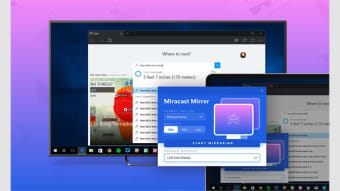
Miracast Screen Mirror is a paid utility app that allows users to mirror their PC screen to another Miracast-enabled device effortlessly. Whether you want to cast your screen on a TV, tablet, or laptop, the app offers a seamless solution for sharing content across devices.
Top Recommended Alternative
Diverse compatibility
When you’re giving a presentation, enjoying multimedia content, or collaborating on projects, having the flexibility to mirror your screen can greatly enhance your user experience. Enter Miracast Screen Mirror, an app designed to streamline the process of screen mirroring across a diverse range of devices.
To use it, simply purchase the software through a one-time payment and ensure that the recipient device is Miracast-enabled. That ensures compatibility not only for PCs, but also for mobile devices, TVs, and more. Unfortunately, there are tons of user reviews claiming that the app isn’t working as intended.
Handy in theory but not in practice
Overall, Miracast Screen Mirror offers a straightforward approach to mirroring PC screens to Miracast-enabled devices, whether it be a TV, tablet, or laptop. However, despite its potential, user feedback indicates some inconsistencies in performance, suggesting room for improvement in reliability and functionality. A demo version or free trial would be great.